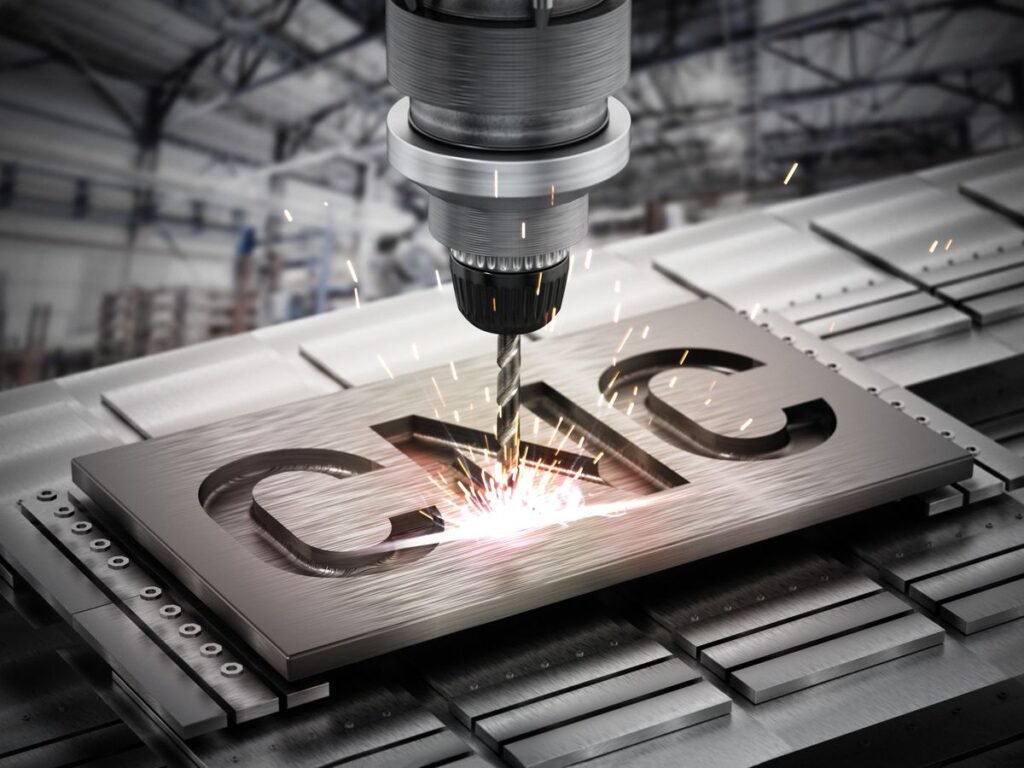
Starting out with CNC automation can feel exciting, but it’s also easy to make costly mistakes without proper guidance. Many beginners rush into machining without fully understanding the software, setup process, or safety requirements. This guide covers the most common beginner mistakes when starting CNC automation, helping new operators avoid frustration, wasted material, and damaged equipment.
Why Beginner Mistakes Happen So Often
CNC automation combines mechanical skills, software knowledge, and precise attention to detail. Without proper training, beginners often underestimate how many small details affect the final outcome.
The Cost of Learning Through Trial and Error
Mistakes in CNC machining aren’t just frustrating — they can be expensive. Wasted material, damaged tools, and broken machine parts add up quickly if beginners don’t learn proper techniques early on.
Mistake 1: Skipping Proper Training
Jumping Straight Into Machining
Many beginners try to operate a CNC machine without fully understanding its controls, software, or safety procedures. As a result, they often make avoidable errors that could have been prevented with basic training.
Why Training Matters
Understanding CAD/CAM software, G-code basics, and machine setup significantly reduces the risk of costly mistakes during early projects.
Mistake 2: Ignoring Machine Calibration
Skipping Regular Calibration Checks
New operators sometimes assume a machine is ready to use straight out of the box. However, skipping calibration checks can lead to inaccurate cuts and misaligned parts.
How Poor Calibration Affects Results
Even small calibration errors can cause significant inaccuracies in the finished part, especially for projects requiring tight tolerances.
Mistake 3: Choosing the Wrong Tooling
Using Incorrect Cutting Tools
Beginners often select tools based on availability rather than suitability for the specific material being machined. This mismatch can result in poor surface finishes or premature tool wear.
Understanding Tool Material Compatibility
Different materials require different tool types and coatings. Therefore, researching proper tooling before starting a project helps avoid unnecessary tool damage.
Mistake 4: Incorrect Feed Rates and Spindle Speeds
Setting Speeds Too High or Too Low
New operators frequently set feed rates and spindle speeds incorrectly, either rushing the process or being overly cautious, both of which can affect part quality.
Why Proper Settings Matter
Incorrect speeds can cause excessive tool wear, poor surface finishes, or even machine damage. Consequently, understanding recommended settings for each material is essential.
Mistake 5: Skipping Simulation Before Machining
Running Programs Without Testing First
Beginners sometimes skip simulation steps, running new G-code programs directly on real material. This risky approach can lead to collisions, wasted material, or damaged equipment.
The Value of Simulation Software
Simulating a program beforehand allows operators to catch errors, verify toolpaths, and confirm machine movements before committing to actual production.
Mistake 6: Poor Workholding Setup
Not Securing the Workpiece Properly
Improperly clamped or secured materials can shift during machining, resulting in inaccurate cuts or, in worse cases, dangerous equipment malfunctions.
Choosing the Right Workholding Method
Understanding different clamping systems, such as vises, fixtures, or vacuum tables, helps ensure the workpiece remains stable throughout the entire machining process.
Mistake 7: Neglecting Regular Maintenance
Overlooking Routine Upkeep
New operators often forget that CNC machines require consistent maintenance, including lubrication, cleaning, and inspection of moving parts.
Consequences of Poor Maintenance
Neglecting maintenance can lead to premature equipment failure, reduced accuracy, and costly repairs down the line.
Mistake 8: Misunderstanding G-Code Basics
Writing or Editing Code Without Proper Knowledge
Beginners sometimes attempt to modify G-code without fully understanding command syntax, leading to programming errors that can damage tools or workpieces.
Learning the Fundamentals First
Taking time to learn basic G-code commands before attempting custom programming helps prevent costly mistakes during early projects.
Mistake 9: Ignoring Safety Precautions
Skipping Protective Equipment
Some beginners underestimate the importance of safety gear, such as eye protection and proper clothing, when operating CNC machines.
Overlooking Machine Safety Features
Failing to use safety enclosures, emergency stops, or interlocks properly increases the risk of workplace accidents.
Mistake 10: Not Accounting for Material Properties
Assuming All Materials Behave the Same Way
Beginners sometimes apply the same cutting parameters across different materials, not realizing that metals, plastics, and wood each require unique approaches.
Researching Material-Specific Techniques
Understanding how different materials respond to cutting, heat, and pressure helps prevent wasted material and poor-quality results.
Mistake 11: Underestimating Software Complexity
Rushing Through CAD/CAM Learning
New users often rush through learning CAD/CAM software, missing important features that could improve efficiency and accuracy.
Taking Time to Master the Basics
Investing time in properly learning design and programming software pays off significantly in reduced errors and improved production quality.
Mistake 12: Failing to Document Processes
Not Keeping Records of Settings and Programs
Beginners often forget to document successful machine settings, tool choices, or program adjustments, making it harder to replicate good results later.
Why Documentation Improves Efficiency
Keeping detailed records helps operators troubleshoot issues faster and consistently reproduce successful outcomes on future projects.
How to Avoid These Common Beginner Mistakes
Start With Proper Education
Enrolling in CNC training courses or seeking mentorship from experienced machinists helps beginners build a strong foundation before working independently.
Practice on Low-Cost Materials First
Testing programs and techniques on inexpensive materials allows beginners to learn without risking expensive workpieces.
Always Simulate Before Running New Programs
Making simulation a standard practice, rather than an optional step, significantly reduces the risk of costly errors.
Build a Habit of Regular Maintenance
Establishing a consistent maintenance schedule from the start helps extend equipment life and maintain accuracy over time.
Final Thoughts
Starting out with CNC automation comes with a learning curve, and mistakes are a natural part of the process. However, understanding these common beginner errors, from skipping simulation to neglecting machine maintenance, helps new operators avoid costly setbacks. By investing in proper training, practicing safe habits, and taking time to master both software and machine operation, beginners can build a strong foundation for long-term success in CNC automation.